A ledger of everything you save.
Hindsight is 20/20. And now yours is searchable.
Open your ledger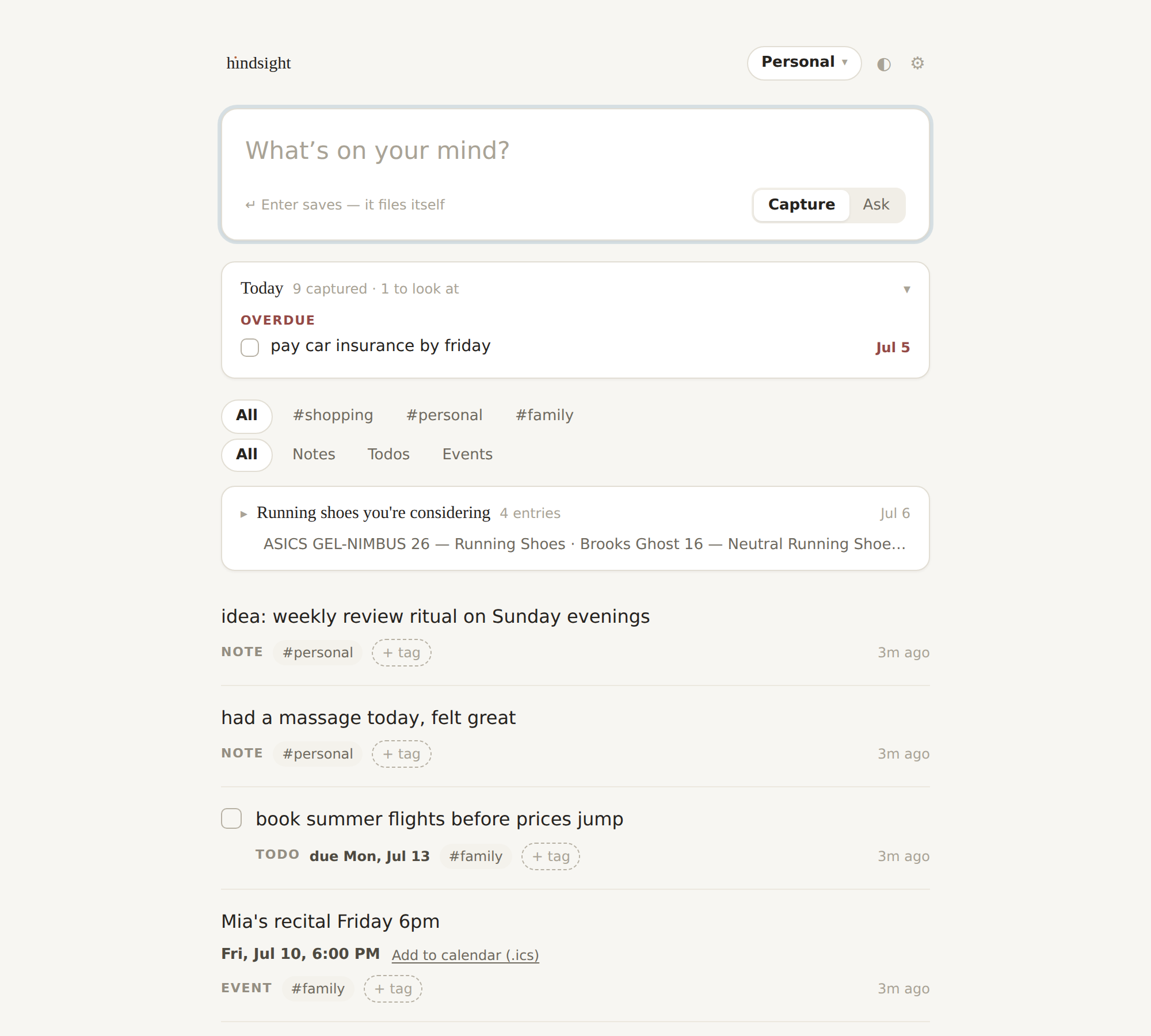
Capture
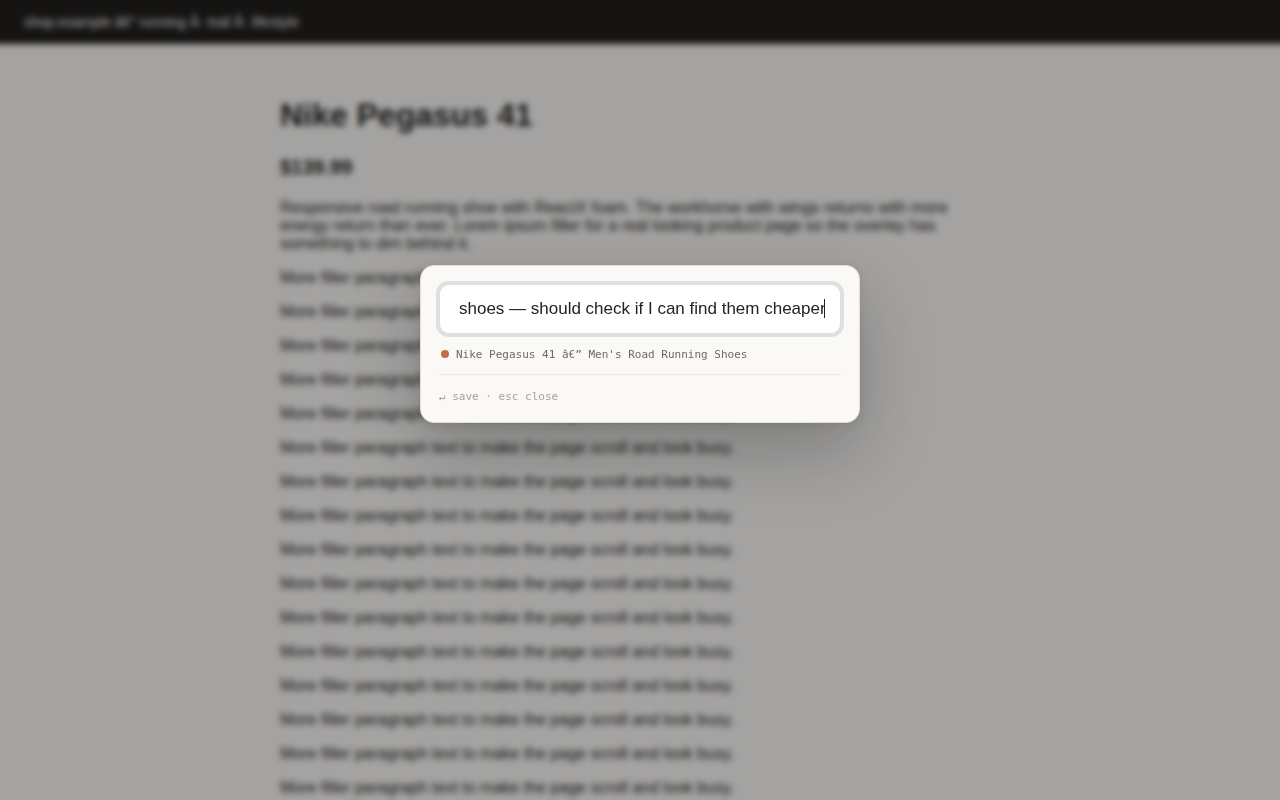
⌘K anywhere in the browser. One box: your note, the page it came from, a #tag if you feel like it. Under five seconds, back to what you were doing.
Everything is an entry
No types, no folders, no forms. Links and thoughts land in one quiet, searchable feed — dated, sourced, and tagged the way you wrote them.
Recall
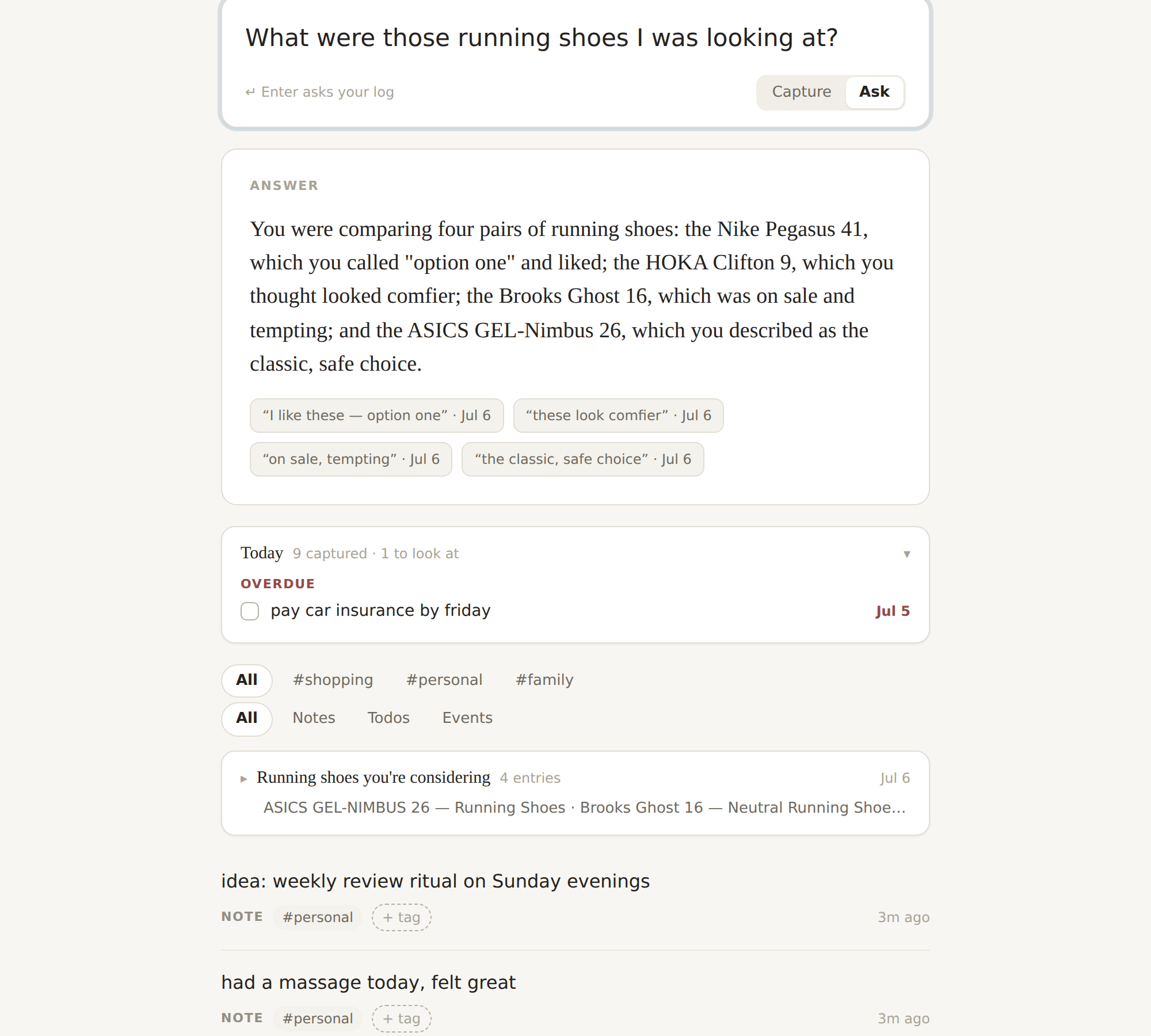
Ask your memory in plain language — “when was my last massage?” — and get answers built from your own entries, with the entries cited.
It reads your ledger so you don’t have to.
Ask in plain language, right where you capture. Recall searches your entries — hopping across them when one answer leads to another — and replies with the actual things you wrote, quoted and dated. No hallucinated summaries; if it isn’t in your ledger, it says so.
Capture from anywhere.
Press ⌘K on any page and jot the thought. The link and what the page said come along for free — so weeks later, “what were those shoes?” just works.
One feed. Nothing to file.
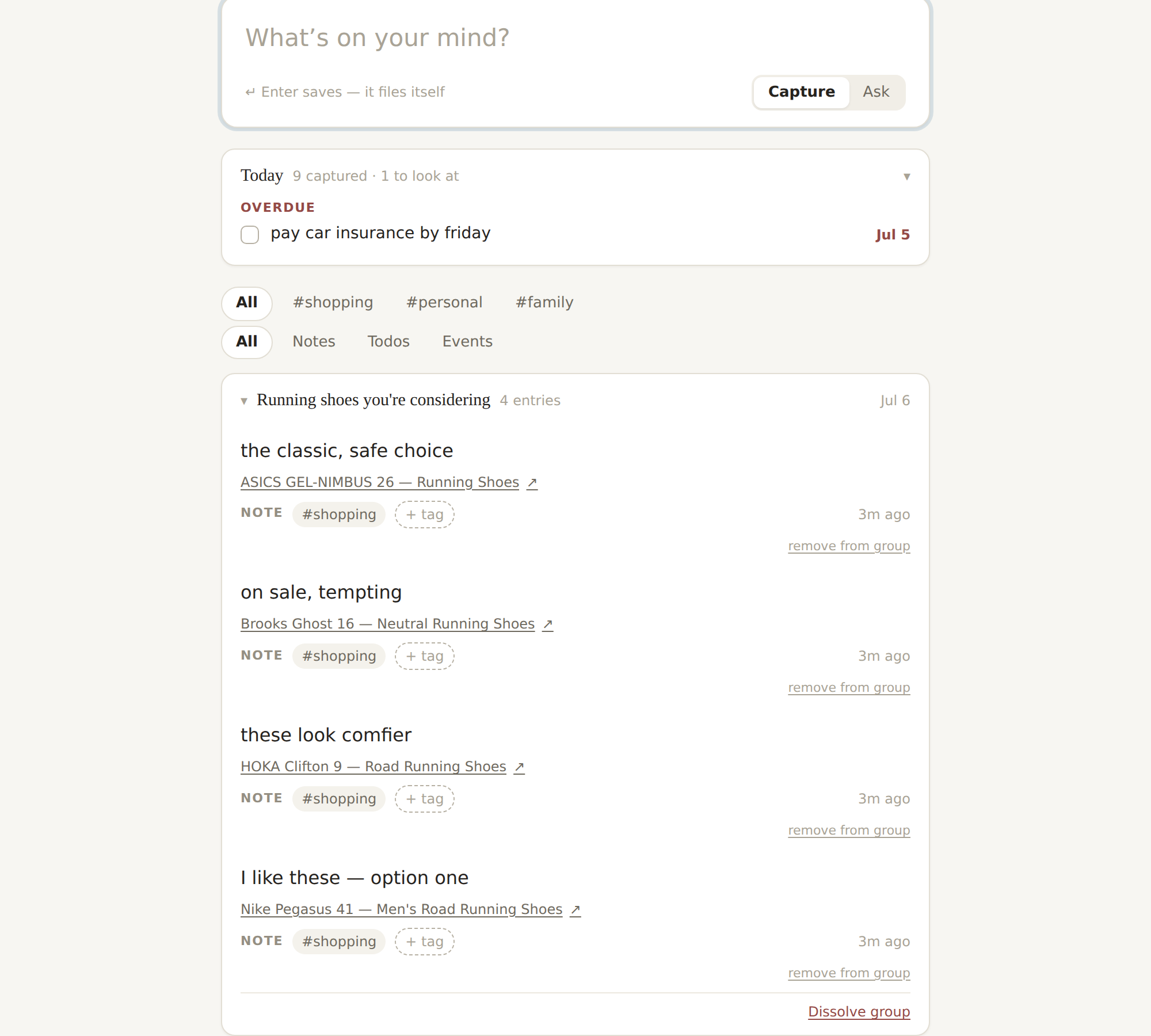
Everything you’ve saved reads like a journal — links and thoughts side by side, newest first. Related saves sit together, a #tag or a search slices the whole ledger in one keystroke, and every entry keeps the page it came from.
Keep work out of your weekend.
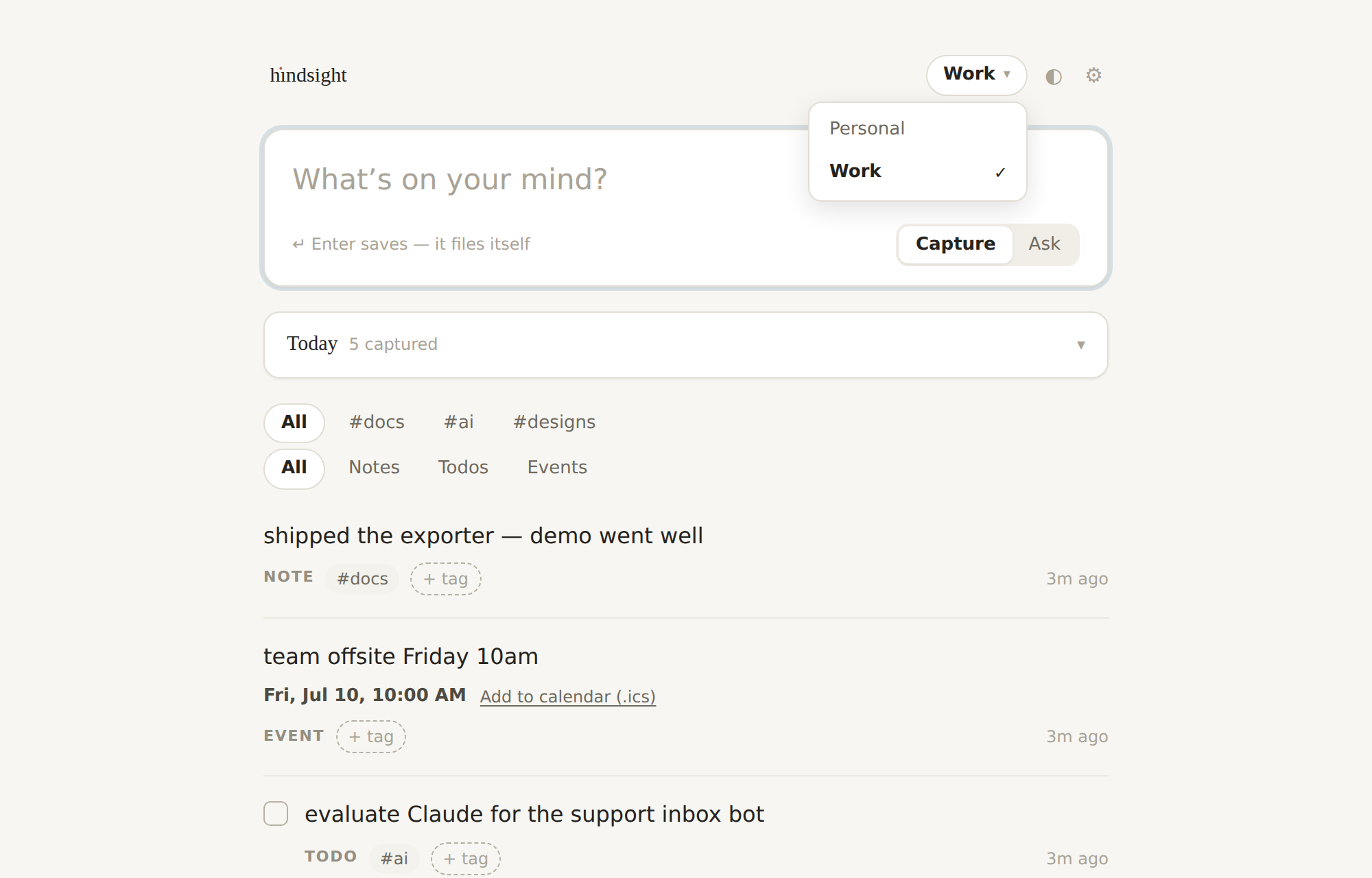
Separate lives get separate ledgers. One click swaps everything — entries, tags, even what Recall is allowed to know. Your work ledger has #docs, #designs, and #ai; your personal one never hears about them.
Works from Claude, too.
Hindsight ships an MCP connector: plug your ledger into Claude and it can search your entries and save new ones mid-conversation. Your memory, wherever you’re already thinking.
Open your ledger